Most AI answers arrive as a wall of text. That's fine for a quick question, but a lot of real work needs something you can use: a figure to adjust, numbers to explore, a plan to tick off. With this release, AusGPT's replies can be exactly that.
Alongside interactive answers, AusGPT can now build slide decks, draft documents and emails in a canvas beside the chat, and search the web when you allow it. Everything below is available today in the AusGPT web app.
Interactive answers
When an answer works better as something you can use, AusGPT now builds it into the reply: a calculator, a dashboard, a timeline, a checklist, a comparison or a form. Each one is made for your question, from the details in your conversation, rather than picked from a template. What you enter is saved with the conversation, so it's still there when you come back. And many end with a couple of suggested next steps you can tap to keep going.
Dashboards you can explore
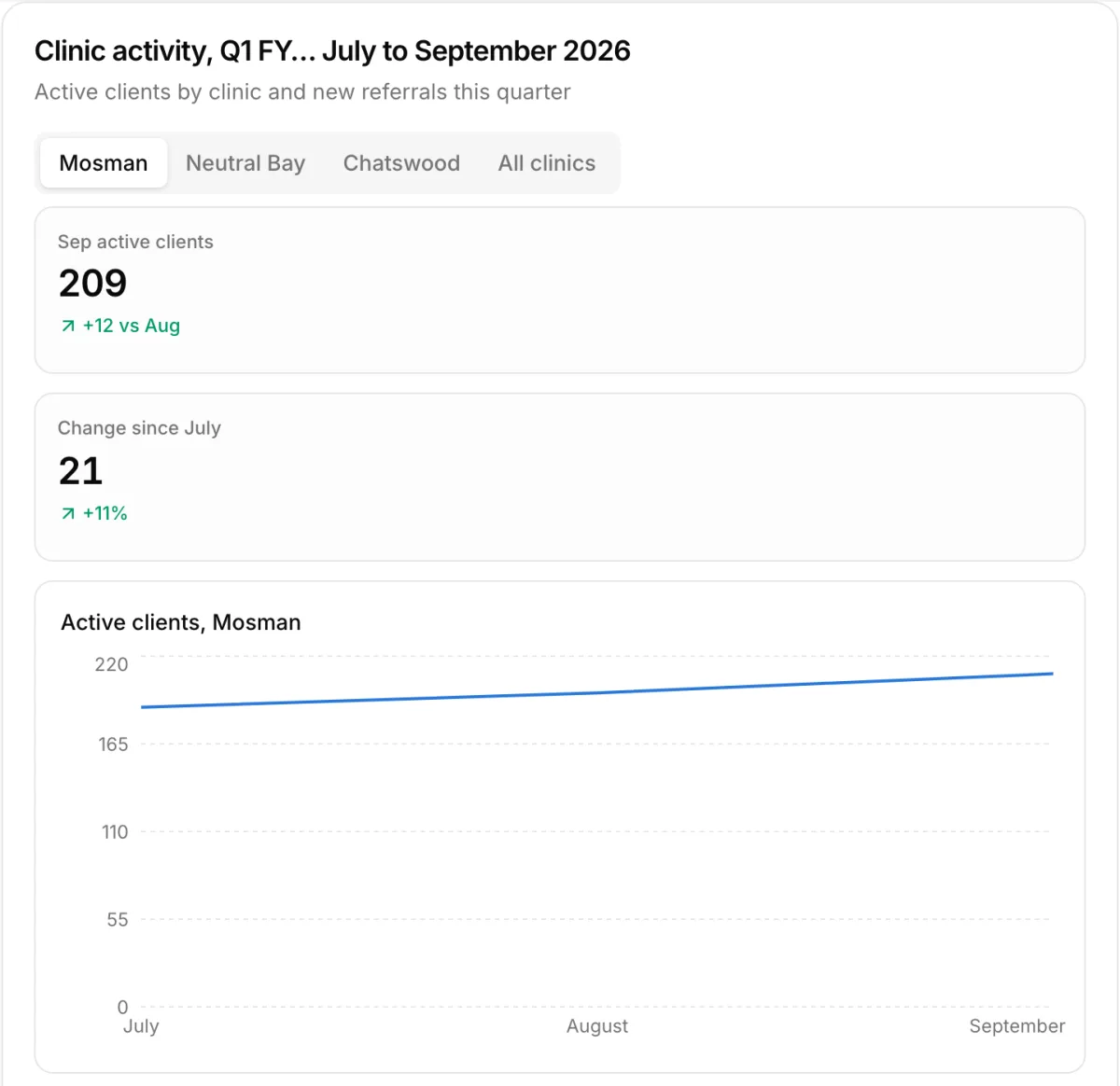
Give AusGPT your numbers and ask for a dashboard. It lays out the headline figures, the trends and the breakdowns, with tabs to move between views.
Plans that keep your place, and questions in a form
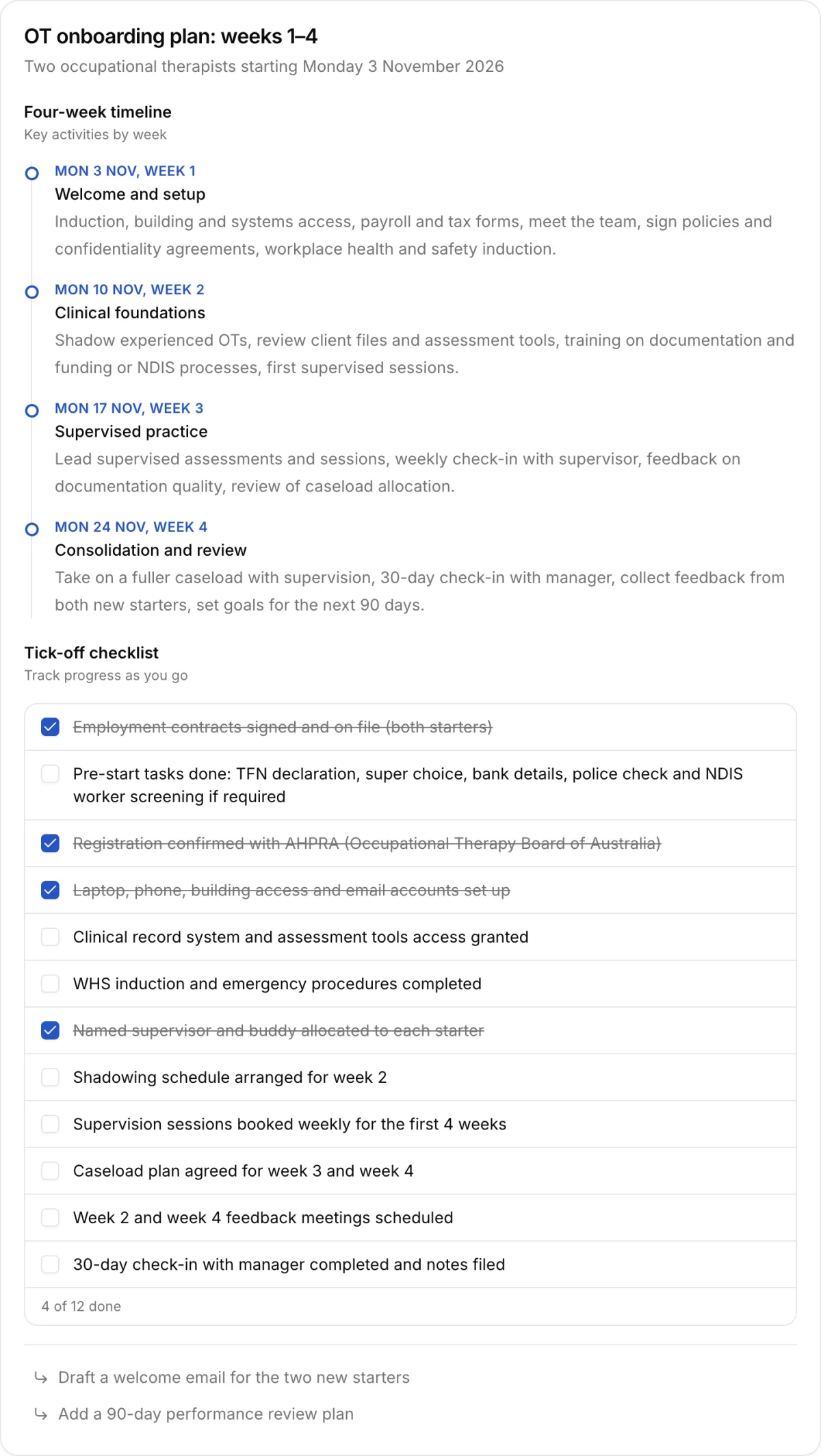
Ask for a plan and you get a timeline with a checklist you can tick off as you go. Your ticks are saved, so the checklist is where you left it next time.
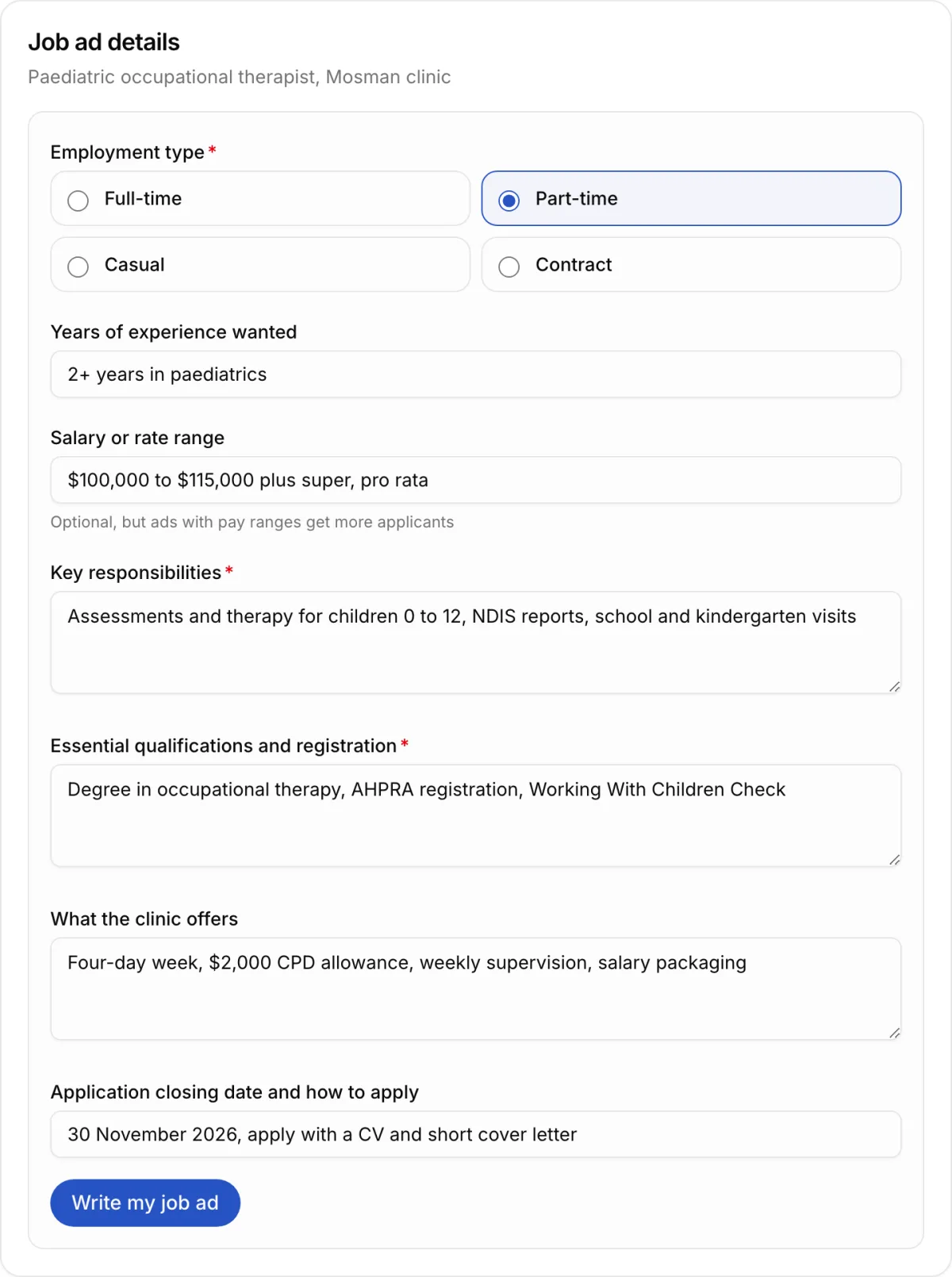
When AusGPT needs details before it starts, it can ask for them in a form instead of a list of questions. Fill it in, press the button, and your answers go back to AusGPT as your next message.
Posters and graphics
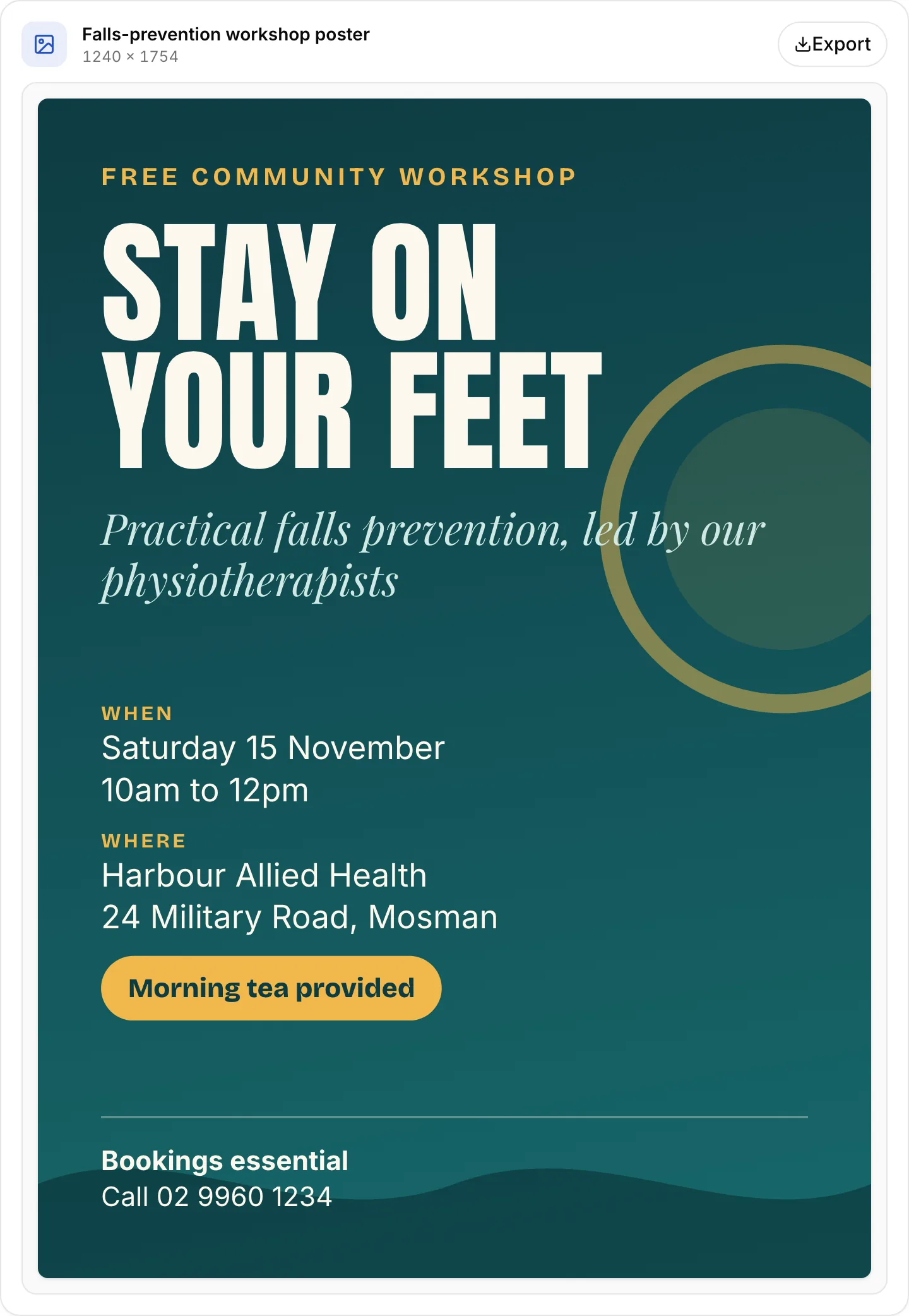
AusGPT can also draw posters, diagrams and other graphics. They're built from code rather than generated as images, so the text stays sharp and is easy to change. Export them as PNG or PDF when they're done.
Slide decks
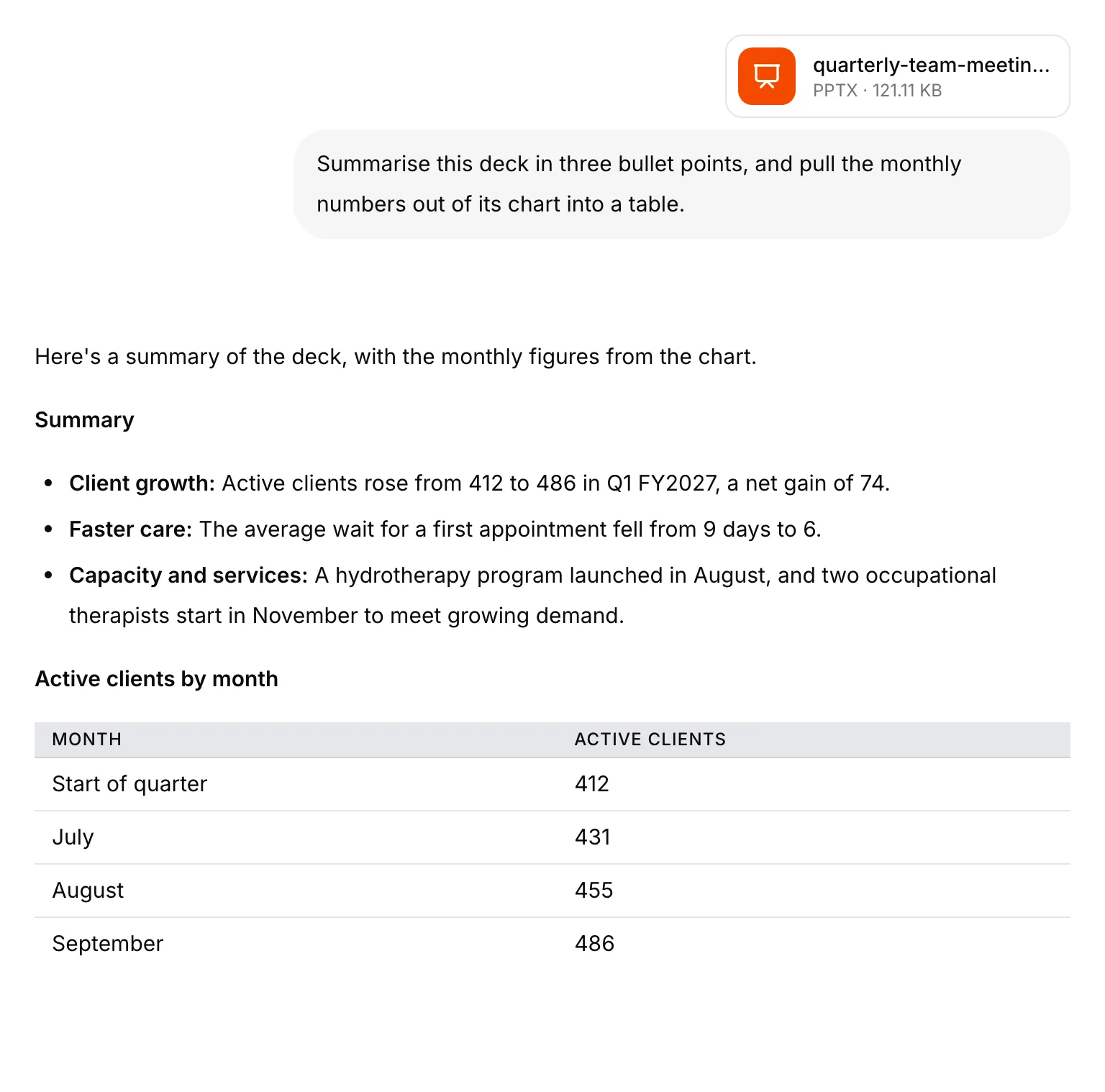
Describe the meeting and the numbers, and AusGPT builds a deck in the conversation: a title slide, a slide for each point, and charts drawn from your figures. Present it full screen with your speaker notes, or export it to PowerPoint or PDF and finish it in your own template. Charts stay editable when you open the deck in PowerPoint.

It works in the other direction too. Upload a PowerPoint file and AusGPT reads every slide, including the data behind its charts, so you can ask it to summarise a board pack or pull last quarter's figures into a table.
A canvas for documents and emails
Longer writing now opens in a canvas beside the conversation, instead of arriving as a long reply. You can edit it directly, like any document. When you ask for changes, AusGPT works from your edited version, so your own fixes stay put.
Each change is saved as a new version you can go back to. Quick actions handle the common edits in one click: polish, shorter, longer, more formal or friendlier. When it's ready, copy it or download it, and you'll find it listed with the conversation later.

Web search, when you allow it
AusGPT can now search the web for current information and list its sources under the reply. Web search is off by default. A team admin decides whether to turn it on, and even then AusGPT asks before every search. It shows the exact words it wants to look up, which you can edit, approve or skip.
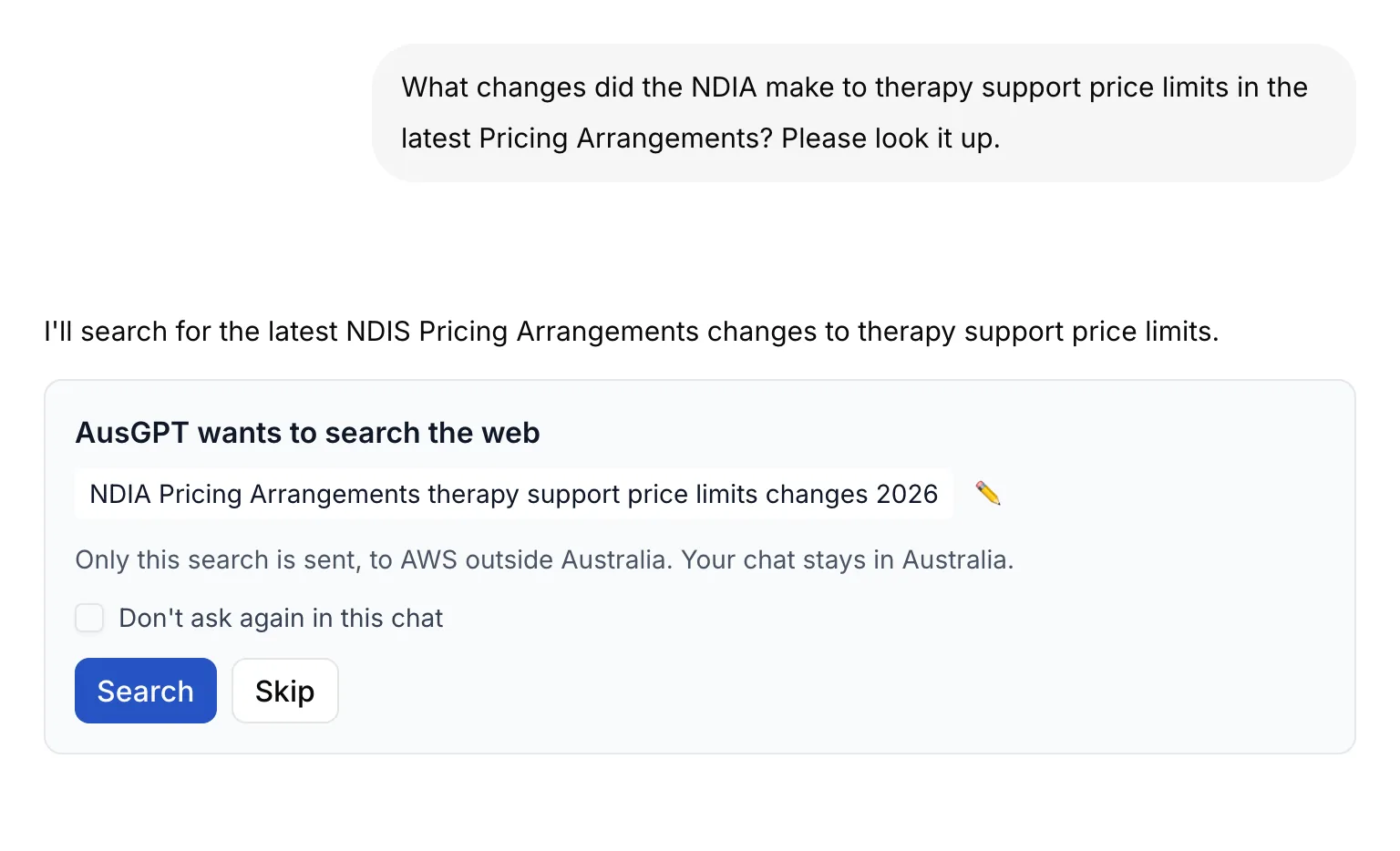
We want to be clear about where searches go. Web search runs on AWS in Tokyo, because the service isn't offered in Australia yet. Only the search words you approve are sent. Your chats and files stay in Australia, as they always have. Our privacy policy has the details.
Passkeys and a new settings page
You can now add a passkey as a second step when you sign in. It uses your device's fingerprint, face or PIN, so there's no code to type and nothing to phish. Recovery codes cover you if you lose the device.
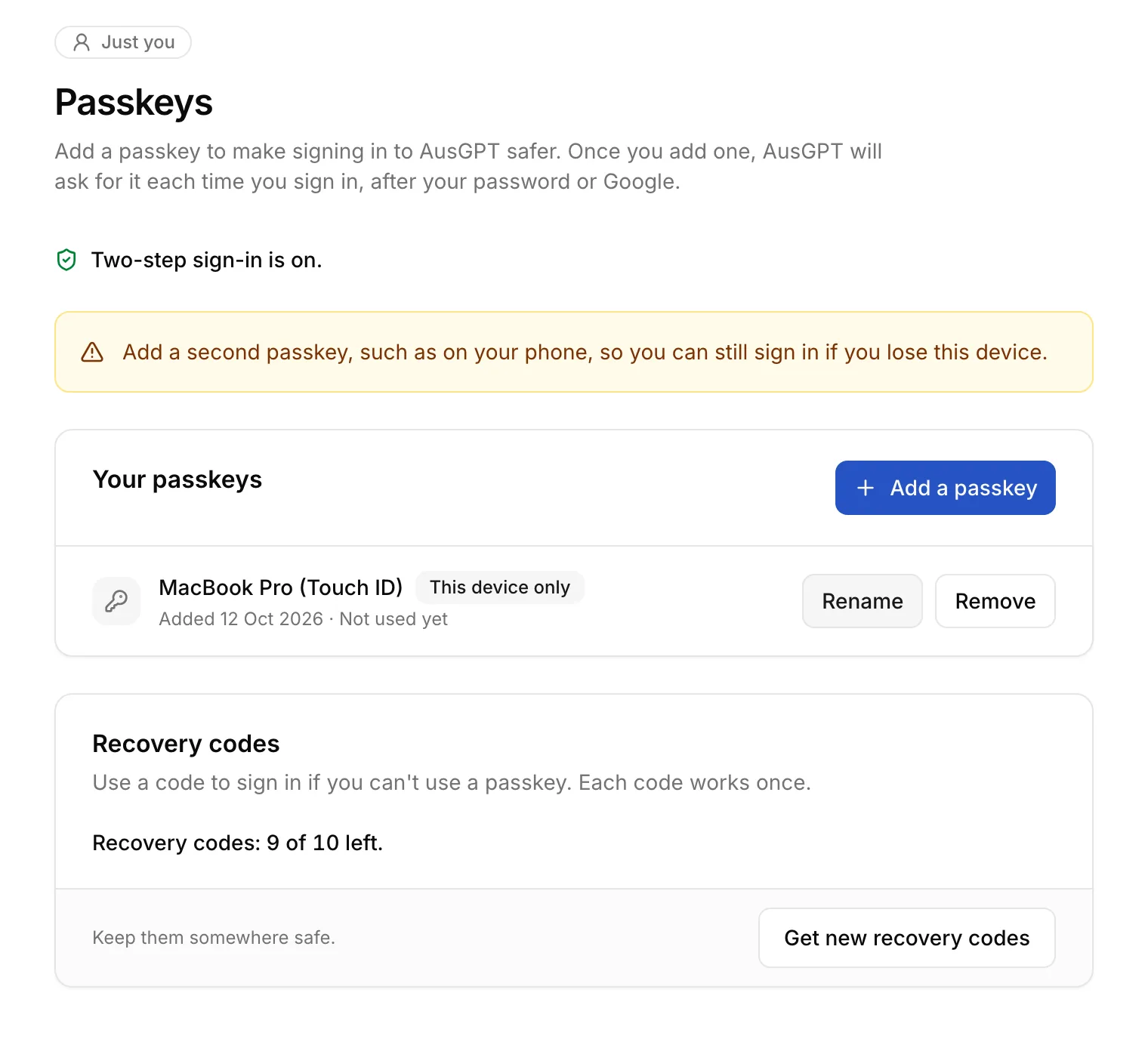
Settings have been rebuilt too. Your own settings and your team's now sit in one place, team admins can turn web search on or off there, and you can leave a team yourself.
Smaller improvements
- Conversations are named from your first message, and titles leave out personal details such as names and contact information.
- A short summary of AusGPT's thinking can appear with its reply, so you can see how it reached an answer.
- The cap on reply length has been lifted, so long documents and detailed answers aren't cut short.
- Files you attach now show inline in your message.
Availability
Everything in this post is live now in the AusGPT web app. Web search stays off until a team admin turns it on in your team's settings.